3-in-1 USB Charging Cable for Travel, Car, and Home
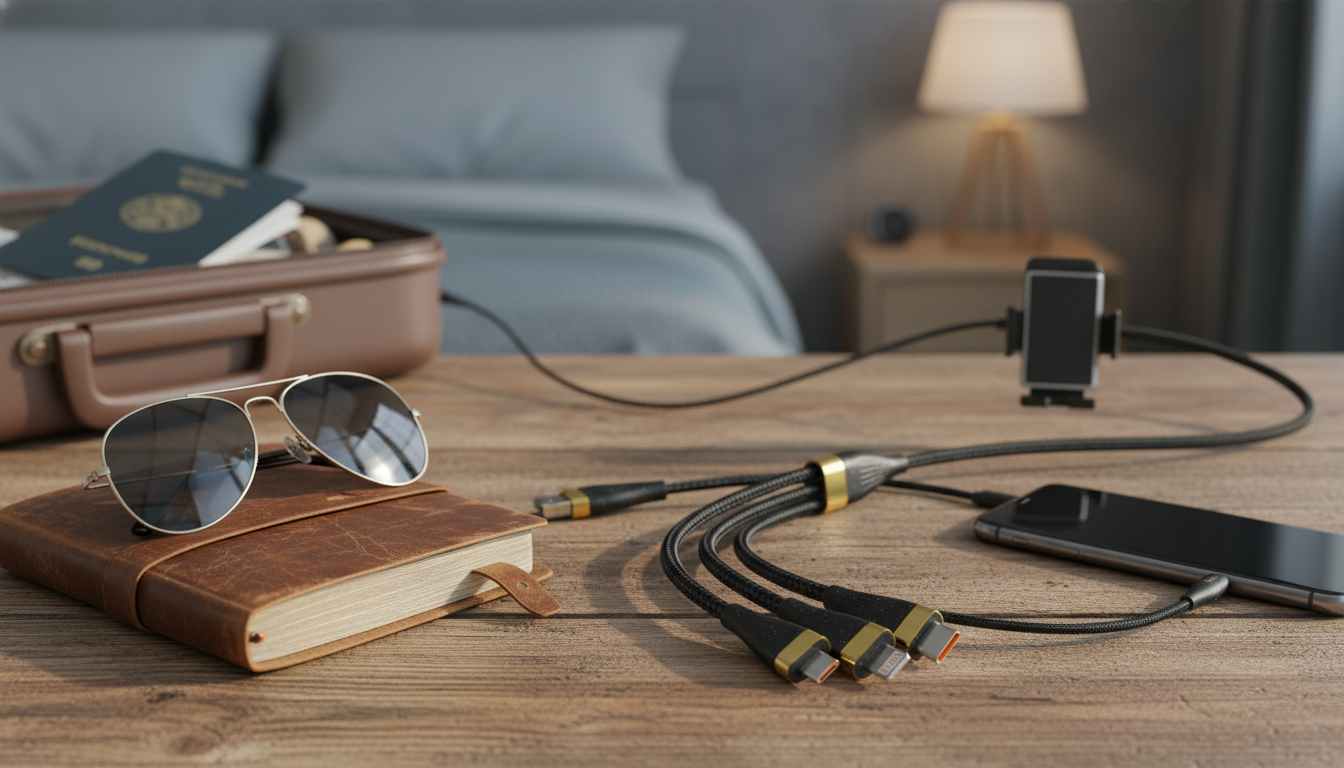
3-in-1 USB Charging Cable: One Cable for Multiple Devices
A 3-in-1 USB charging cable reduces clutter by combining common connector types into a single lead. It’s a practical pick for nightstands, cars, travel bags, and shared chargers—especially when different phones and accessories need power from the same USB port.
What a 3-in-1 USB charging cable does
A multi-tip charging cable keeps everyday charging simple: instead of hunting for the “right” cord, one cable can cover multiple device ports. That’s useful in busy spaces like a kitchen counter, a home office desk, or a car where different passengers may need different connectors.
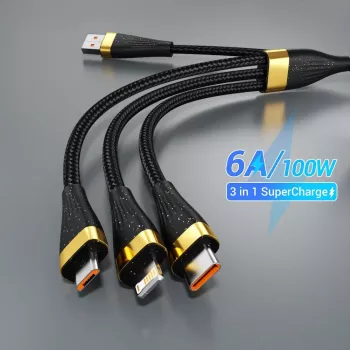
- Combines multiple device connectors on one cable so different devices can be charged without swapping cords
- Designed for everyday convenience: quick plug-in at home, in the car, at work, or while traveling
- Helpful for households with mixed devices and for keeping a minimal kit in backpacks and suitcases
- Often used with USB wall chargers, power banks, laptops, and car USB ports
If you want a simple option to keep in a drawer, glove box, or carry-on, the 3-in-1 USB Charging Cable is an easy way to cover common connector needs without packing three separate cords.
Connector types and device compatibility
Not every “3-in-1” cable is identical, so it’s worth confirming which tips are included and which devices you plan to charge most often. Many multi-connector cables include some combination of USB-C, Lightning, and Micro-USB, covering a wide range of phones, tablets, speakers, and accessories.
- Check which connector tips are included and match them to the devices that will be charged most often
- Confirm whether the cable supports charging only or also supports data transfer (varies by cable design)
- If charging sensitive devices (wireless earbuds, smartwatches, small accessories), prioritize stable fit and consistent power delivery
- For newer phones and tablets, ensure the connector type used by the device is covered (USB-C is increasingly common)
Common connector tips and where they’re typically used
| Connector tip | Often found on | Notes to check before buying |
|---|---|---|
| USB-C | Newer Android phones, tablets, power banks, handheld consoles | Fast charging support depends on the charger and cable design; confirm wattage/PD support if needed |
| Lightning | Many iPhone and iPad models | Best results typically require a quality wall charger; some accessories may be charge-only |
| Micro-USB | Older Android phones, Bluetooth speakers, small gadgets | Common for accessories; durability matters because the connector can loosen over time |
Charging performance: what affects speed
Charging speed is a team effort between the power source, the device, and the cable. A 3-in-1 cable can be convenient, but the fastest speeds still depend on whether everything in the chain supports the same standard.
- Charging speed is determined by the charger (wall/car/power bank), the device’s charging protocol, and the cable’s capability
- Higher-power charging (such as USB Power Delivery) requires compatible devices and chargers; not all multi-tip cables support high wattage on every tip
- Cable length and build can influence voltage drop—longer or thinner cables can charge more slowly on higher loads
- If multiple devices are connected at once (where supported), current may be shared, which can reduce speed per device
For standards and certification details, the USB Implementers Forum has background info on USB specs at usb.org.
Durability and everyday handling
A charging cable is only as useful as it is reliable. Since multi-tip designs may be plugged and unplugged frequently (and used by multiple people), small build details can make a noticeable difference over time.
- Look for strain relief near connector ends to reduce fraying from frequent bending
- For travel, a flexible outer jacket and a solid connector housing can handle packing and unpacking better
- If the cable will be used in a car, consider how it routes around the console to avoid constant pinching
- Keep connector tips clean and avoid forcing a plug—misalignment can damage both the tip and the device port
A simple habit that helps: unplug by gripping the connector housing instead of pulling the cable itself, especially when the cord is routed behind a nightstand or through a car’s center console.
Safety and device protection basics
Most charging issues come down to mismatched or low-quality power sources, worn cables, or heat buildup. Pairing a multi-tip cable with a reputable charger helps keep charging stable—particularly when charging a phone overnight or topping up multiple accessories during the day.
For device-specific guidance, Apple provides adapter recommendations at Apple Support, and Google outlines general charging tips at Android Help.
Best everyday use cases
If you’re organizing a desk routine along with your tech essentials, the The Ultimate Productivity Blueprint can complement a tidier setup by helping structure daily charging, planning, and task habits in one place.
Simple checklist before buying
FAQ
Can a 3-in-1 USB charging cable fast charge a phone?
Fast charging depends on the phone, the wall/car charger, and whether the cable supports the required charging standard. Some multi-tip cables may charge certain devices at standard speeds even when the charger is capable of more.
Does a 3-in-1 cable support data transfer?
Some models are charge-only, while others support data transfer on specific connector ends. Check the product details if you need file syncing, wired audio interfaces, or other data-dependent connections.
Is it safe to charge multiple devices from one cable?
If the cable is designed for multi-device charging, it can be used safely with a quality charger, but charging speed may drop as power is shared. Avoid pairing multiple devices with an underpowered single-port charger that can’t handle the combined load.








Leave a comment