4K Dual-Lens WiFi Camera: Auto-Tracking Security Guide
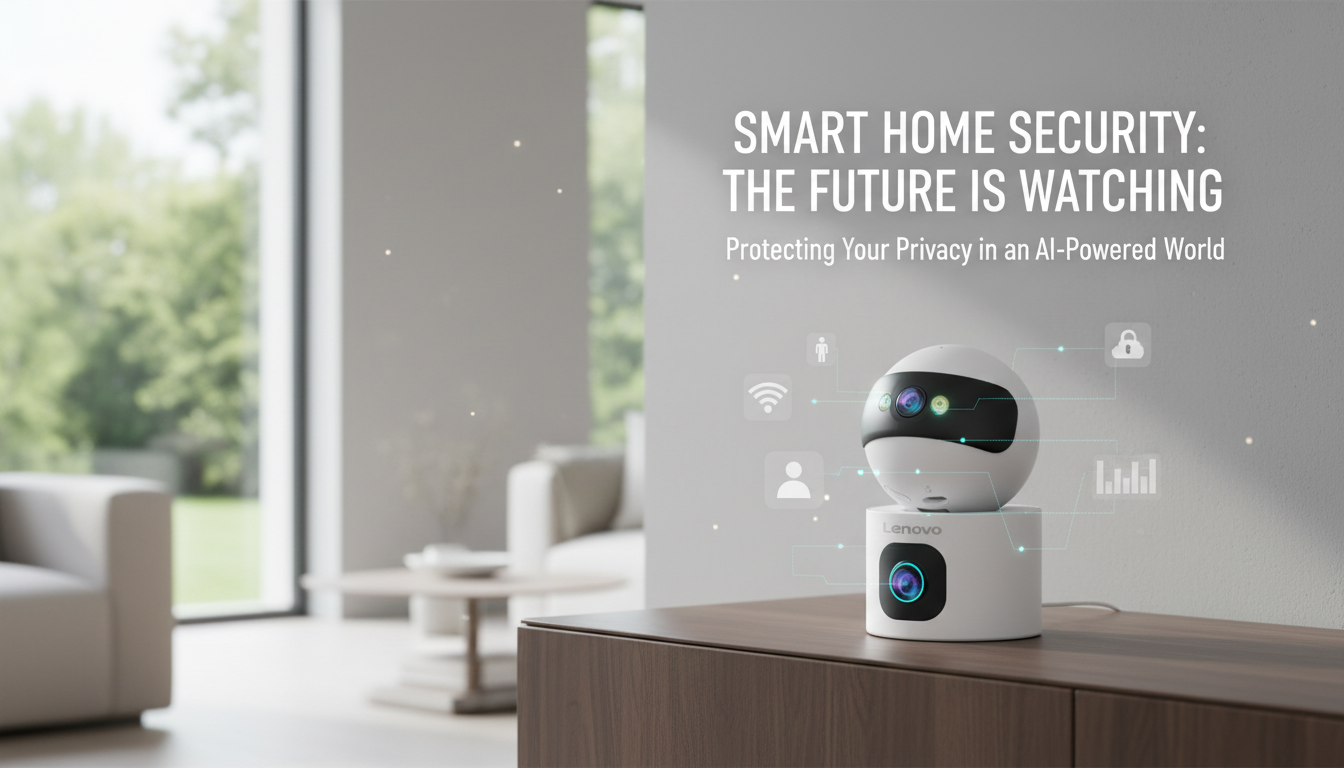
4K Dual-Lens Smart WiFi Home Security Cameras: Clear Coverage, Smarter Alerts
A dual-lens security camera can reduce blind spots by pairing a wide “overview” view with a tighter, detail-focused view—while auto tracking helps keep a moving subject in frame. If the goal is fewer missed moments at the front door, in the driveway, or across a larger room, a 4K dual-lens smart WiFi camera can deliver stronger day-to-day coverage than a single fixed-angle camera, especially when motion doesn’t happen right in the center of the scene.
What a dual-lens, auto-tracking camera changes in everyday security
Two viewpoints to capture both context and details
Dual lenses are built for real-world scenes where you want to see the big picture (who approached, from where) while also preserving the smaller details (what’s in their hands, what happened at the threshold). One lens can monitor the wider area, and the second can emphasize closer detail so important moments don’t turn into a blur when you need to review footage.
Auto tracking that keeps motion “in the story” longer
Auto tracking follows movement across the frame, which can help keep faces, packages, or a person’s path visible longer than a fixed-angle view. This is especially useful when someone crosses the porch from the steps to the door, or when a vehicle moves through the driveway and the key moment happens off-center.
Why 4K matters (and when it matters most)
WiFi placement flexibility—within limits
Smarter alerts require tuning
Best places to use it (and where it struggles)
Front entry and porch
Driveway and garage
Backyard and patio
Indoor main hallway
Limitations to plan around
Feature checklist for confident day-to-day use
Video quality controls
Night visibility and glare handling
Tracking behavior you can control
Two-way audio
Storage options and retention
Sharing and access
Quick comparison: what to look for when comparing similar cameras
| Decision factor | Why it matters | What to check before buying |
|---|---|---|
| Dual-lens coverage | Reduces blind spots and improves context | Whether both views can be recorded; lens switching vs simultaneous view |
| Auto tracking control | Keeps moving subjects in frame without constant re-aiming | Ability to set zones, sensitivity, and tracking limits |
| Night performance | Most incidents happen in low light | IR reflection risk, low-light clarity, and exposure handling |
| WiFi reliability | Dropouts cause missed clips and delayed alerts | 2.4 GHz vs 5 GHz support, router distance, and mesh compatibility |
| Storage & ongoing cost | Determines clip access and monthly spend | Local storage support, cloud subscription options, retention length |
| Privacy & security settings | Prevents unwanted access and oversharing | Two-factor authentication, user permissions, and firmware updates |
Setup that prevents missed clips and false alerts
Get the angle right first
Test WiFi at the exact mount point
Before finalizing placement, test the signal where the camera will live. If video stutters or alerts delay, move closer to a mesh node or add a node near the camera. Also consider basic home network hardening guidance, such as the FTC’s recommendations for securing Wi-Fi settings and passwords: https://consumer.ftc.gov/articles/how-secure-your-home-wi-fi-network.
Use activity zones and realistic sensitivity
Set notification schedules without turning off recording
Check night glare with a simple walk test
Care, privacy, and account security essentials
Keep firmware updated to address security issues and improve stability. Use a unique password and enable two-factor authentication when available; NIST’s digital identity guidance is a solid reference point for strengthening sign-in practices: https://pages.nist.gov/800-63-3/. Place cameras responsibly by avoiding neighbors’ windows and private areas, and use indoor privacy modes or schedules where appropriate. Review saved clips periodically and delete footage you no longer need, especially if access is shared with family members.
Product snapshot: 4K Dual-Lens Smart WiFi Home Security Camera with Auto Tracking
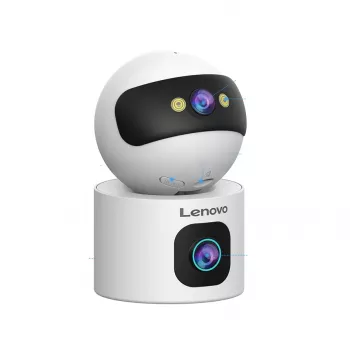
4K Dual-Lens Smart WiFi Home Security Camera with Auto Tracking is designed for broader coverage with dual lenses and a tracking mode that follows motion through the scene. It’s a practical fit for entries, driveways, and larger rooms where movement can cross the frame quickly. For best day-to-day results, pair it with a strong WiFi signal and spend a few minutes tuning activity zones and sensitivity for the specific location.
Optional add-on for staying consistent with security routines
If household organization is the bigger challenge than choosing hardware, a simple routine can help: review alerts at set times, check saved clips weekly, and confirm software updates monthly. For a structured planning approach, The Ultimate Productivity Blueprint | Digital Productivity Guide for Goal Setting, Time Management & Daily Routines can be used to build repeatable checklists and schedules that keep camera maintenance from slipping through the cracks.
FAQ
Does auto tracking work through windows?
It can detect motion through glass, but night vision may reflect IR light back into the lens and reduce clarity. If monitoring through a window, disable IR/night mode if possible and rely on ambient light, or mount outdoors for best results.
How much WiFi speed does a 4K camera need?
It depends on bitrate and compression, but consistent upload matters more than peak speed. Test for stable signal where the camera will be mounted; if clips buffer or alerts delay, add a mesh node or move the router closer.
Is local storage safer than cloud storage?
Local storage avoids monthly fees and keeps footage on-site, but it can be lost if the camera is stolen or damaged. Cloud storage preserves clips off-site; the better choice depends on budget and risk tolerance.









Leave a comment