7-Inch 1-DIN MP5 Car Radio: Fit, Features & Install
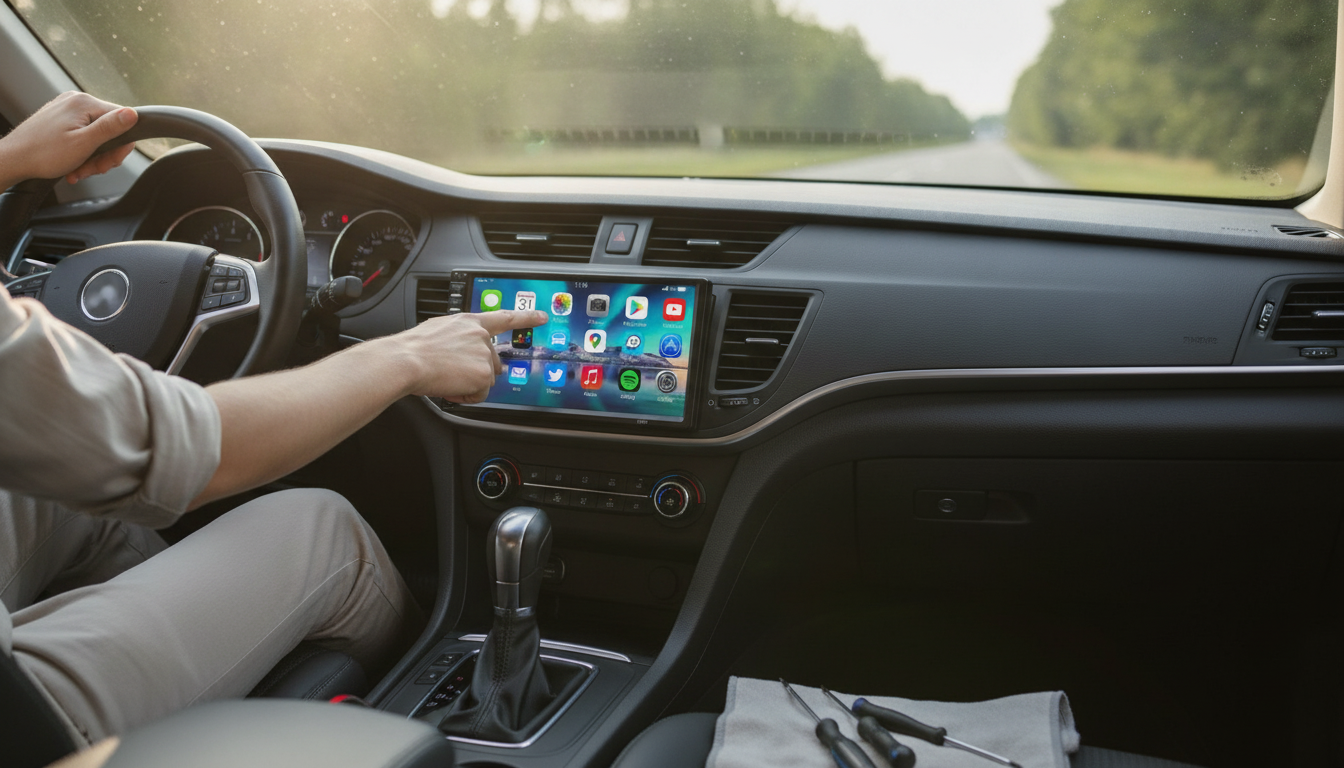
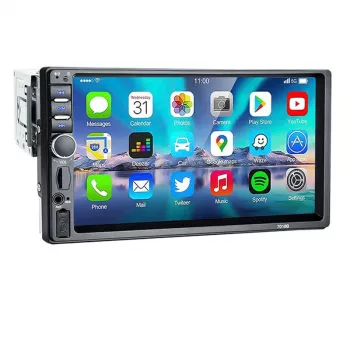
7-Inch 1-DIN Car Radio MP5 Multimedia Player: Big Screen Entertainment in a Single-DIN Slot
A 7-inch display paired with a 1-DIN chassis brings modern-looking video and media playback to vehicles that don’t have space for a full double-DIN receiver. This guide breaks down fitment, day-to-day features, installation considerations, and practical tips for getting the most out of a compact MP5 multimedia player.
What It Is and Who It Fits Best
A 7-inch 1-DIN MP5 multimedia receiver is built for vehicles with a standard single-DIN dash opening, but it adds a larger, more readable screen for media browsing and playback. Instead of requiring a double-DIN dash conversion, the chassis mounts like a 1-DIN radio while the display typically sits forward of the dash to provide the larger viewing area.
- Designed for vehicles with a 1-DIN dash opening where a larger screen is still desired.
- Useful for drivers who want USB/SD media playback and a bigger interface without replacing the entire dash to accommodate a double-DIN unit.
- Often chosen for older cars, work vehicles, and budget-friendly upgrades where simple media control matters most.
If you’re shopping for a budget-friendly upgrade, the 7-Inch 1-DIN Car Radio MP5 Multimedia Player is a straightforward option that focuses on large-screen usability and offline media playback.
Highlights to Look For in a 7-Inch 1-DIN Multimedia Receiver
Not all 1-DIN multimedia units behave the same once installed. Before buying, prioritize the factors that affect daily use and physical fit, then confirm the basics (power, speakers, and inputs) so the install doesn’t turn into a troubleshooting project.
- Screen size and viewing angle: a 7-inch display helps with readability, especially for track selection and video menus when parked.
- Physical fit: confirm the dash opening is single-DIN and check behind-dash depth for wiring and connectors.
- Media inputs: USB and memory card support can simplify offline playback without relying on mobile data.
- Radio support: verify FM/AM availability and antenna connection type for the vehicle.
- Control style: touchscreen vs. physical buttons; tactile buttons can be easier to use on rough roads.
- Power and sound: match output to the vehicle’s speakers and consider adding an external amplifier later if needed.
Compatibility and feature checklist
| Checkpoint | Why it matters | What to verify before buying |
|---|---|---|
| Dash size | Ensures the chassis mounts correctly | Vehicle has a 1-DIN opening; trim kit availability if needed |
| Mounting depth | Prevents fit issues behind the dash | Space for harness, antenna lead, and any adapters |
| Power wiring | Avoids electrical problems and resets | 12V system, constant + switched power, solid ground point |
| Speaker wiring | Prevents phase/volume issues | 4-speaker wiring condition; consider new speaker leads if brittle |
| Media sources | Determines everyday usability | USB/SD formats used; file types commonly played |
| Display clearance | Avoids screen interference | Shifter, vents, and nearby buttons won’t block the screen |
For a quick refresher on standard receiver sizing, Crutchfield’s guide to single-DIN vs. double-DIN is a helpful reference for measuring and planning.
Everyday Use: Media Playback, Controls, and Convenience
A 7-inch MP5 receiver shines when it becomes a “set it and forget it” media hub. Keeping a USB drive or SD card loaded with your favorite playlists can reduce reliance on spotty coverage and makes track access quick.
- USB/SD playback: ideal for keeping a dedicated music library in the car for consistent playback and faster access.
- Video playback: intended for use while parked; set expectations around format support and file organization for smooth browsing.
- Touchscreen habits: keep the screen clean and use larger on-screen buttons when driving to minimize distraction.
- Sound tuning basics: start with flat EQ, then adjust bass/treble gradually to avoid distortion at higher volume.
Practical tip: organize audio and video into a simple folder structure (for example, Music > Artist > Album) and keep filenames readable. Many budget receivers browse faster when the drive isn’t packed with deeply nested folders.
Installation Notes: Fitment, Harnesses, and Best Practices
Installation quality matters as much as the receiver itself. A stable mount, clean wiring, and proper adapters reduce noise, random resets, and intermittent speaker issues.
Safety and Legal Use
For a broader overview of why minimizing screen interaction matters, review the NHTSA’s information on distracted driving.
Common Setup Problems and Quick Fixes
Product Snapshot
At-a-glance details
| Item | Value |
|---|---|
| Product | 7-Inch 1-DIN Car Radio MP5 Multimedia Player |
| Price | $43.97 USD |
| Availability | In stock |
More in-stock picks
- The Ultimate Productivity Blueprint | Digital Productivity Guide for Goal Setting, Time Management & Daily Routines
- Stronger Together: Family Bonding Pack | Digital Family Activities Guide for Kids & Parents
FAQ
Will a 7-inch screen fit in a 1-DIN slot?
The chassis is made to mount in a 1-DIN opening, but the 7-inch screen typically extends beyond the slot. Check clearance around vents, knobs, and the shifter, and consider a proper dash kit if your trim needs support or spacing.
What is an MP5 player in a car stereo?
An MP5 car stereo is a multimedia player designed to play digital audio and video files, commonly from USB drives or SD cards. Supported formats vary by model, so it helps to keep files in common types and a simple folder structure.
Do I need a wiring harness adapter to install it?
A vehicle-specific harness adapter is strongly recommended because it helps avoid cutting factory wires and reduces the chance of power or speaker wiring mistakes. Some vehicles also need an antenna adapter for proper radio reception.







Leave a comment